Sell subscriptions on Shopify: coffee, snacks and boxes
Food that runs out sells well on a schedule. Here is how subscriptions work on Shopify, how to set up plans shoppers understand, and what your theme has to do.
A food brand usually sells one of two kinds of subscription. The first is replenishment: the same coffee, sauce or snack, delivered on a schedule, often at a small discount. The second is a club: a box the brand curates each month, such as “three bars a month, picked by the makers”. Shopify handles both the same way, with selling plans. This guide covers the setup with any theme, then shows how our theme, Platter, presents it.
1. How subscriptions work on Shopify
Shopify does not bill subscriptions through the theme. An app creates selling plans, which Shopify describes as how products can be sold and purchased, grouped into purchase options (Shopify: selling plans). The app handles the recurring orders. The theme only has to show the plans on the product page and send the chosen plan to the cart.
Shopify’s own Subscriptions app creates selling plans, and so do most third-party subscription apps. Before you choose:
- Check your payment provider. Shopify Subscriptions needs a supported gateway, such as Shopify Payments, PayPal Express, Authorize.net, Adyen or Stripe, with limits on the last two (Shopify: considerations).
- Check your theme. Shopify says the theme must be compatible with sections and blocks, which every Online Store 2.0 theme is.
- Check what customers can do on their own. With Shopify Subscriptions, customers can resume, skip or cancel a subscription and update their payment method and shipping address.
2. Plans shoppers understand
A plan in Shopify Subscriptions has a title, a delivery frequency, an optional discount and the products it applies to (Shopify: add and edit plans).
- Name the plan for the shopper. Many themes show the plan name on the product page and in the cart. “Every 2 weeks, save 10%” says everything; “Coffee 2W” does not.
- Match the frequency to the product. Offer the interval a customer finishes the product in. Two frequencies are plenty; five slow the choice down.
- Use a percentage discount if you sell several sizes. “Save 10%” holds for a 250 g bag and a 1 kg bag alike.
- Say how to skip or cancel on the product page, in plain words: “Skip or cancel any month.” It answers the first worry about subscribing.
3. Products sold only on a subscription
A club box makes no sense as a one-time purchase. Set the product to sell only with its purchase options; most subscription apps have this setting. Shopify then marks the product as requiring a selling plan, which themes read as requires_selling_plan (Shopify: the product object).
Check what your theme does with such a product. A good theme leaves out the one-time option, selects the plan, and lists the product at its plan price in collections and search, so the price a shopper sees is the price they pay.
4. Perishable food and shipping days
Subscriptions repeat your shipping problems every cycle. If chocolate melts in a warm depot over a weekend, ship Monday to Wednesday, and say so where shoppers see it, such as the announcement bar. Set the plan’s billing or delivery day to match, if your app allows it.
How Platter handles it
Platter is our theme for food and drink brands with a small catalog. It shows subscriptions from any app built on Shopify selling plans. It has no subscription settings of its own: the plans, prices and discounts all come from your app, and Platter draws the plan choice itself, so you do not need the app’s own subscription widget on the product page. The screenshots come from the Hollis Chocolate and Fernhill Coffee demo stores.
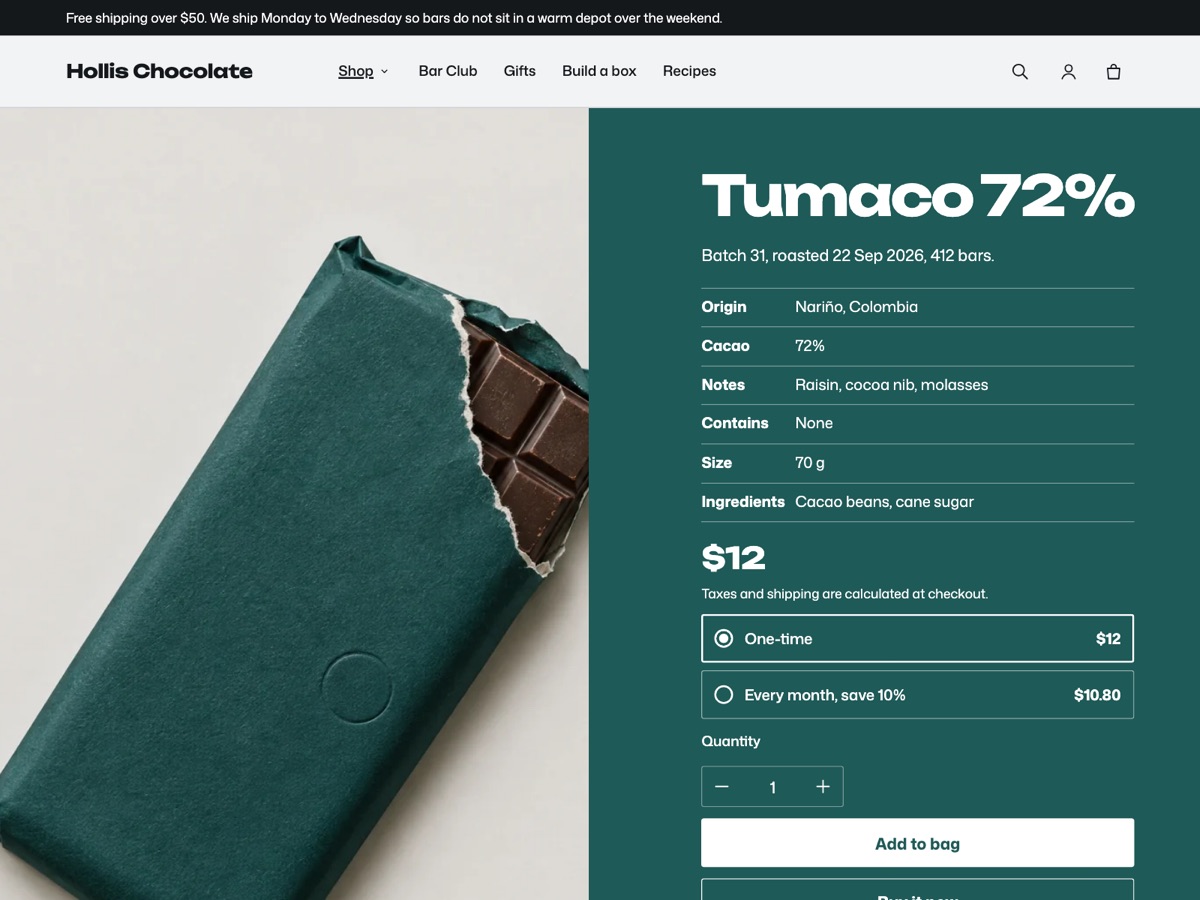
On the product page, a product with plans shows One-time and one option per plan, with the plan’s name, its description if it has one, and its price. When the shopper picks a plan, the headline price changes to the plan price, and a cheaper plan shows the one-time price struck through beside it. In the bag, each subscription line shows its plan name.
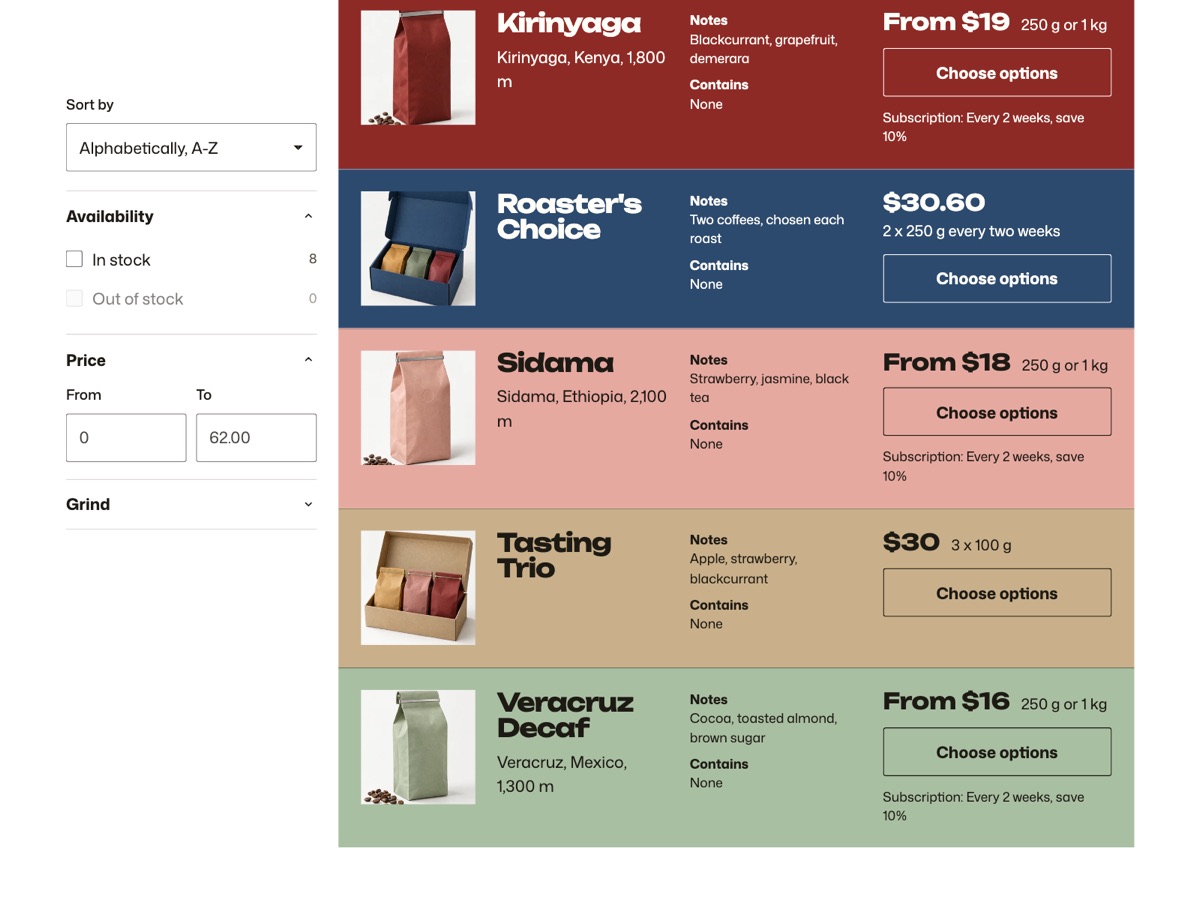
In collections and search, rows do not show the plan choice. A product that sells one-time and on a plan shows a short line under its price, such as “Subscription: Every 2 weeks, save 10%”.
For a product sold only on a plan, such as Fernhill’s Roaster’s Choice, Platter leaves out One-time and selects the first plan. It lists the product at its plan price in rows, the range index, the mega menu and search, and shows a Choose options button instead of Add to bag, so the shopper sees the plan before buying.
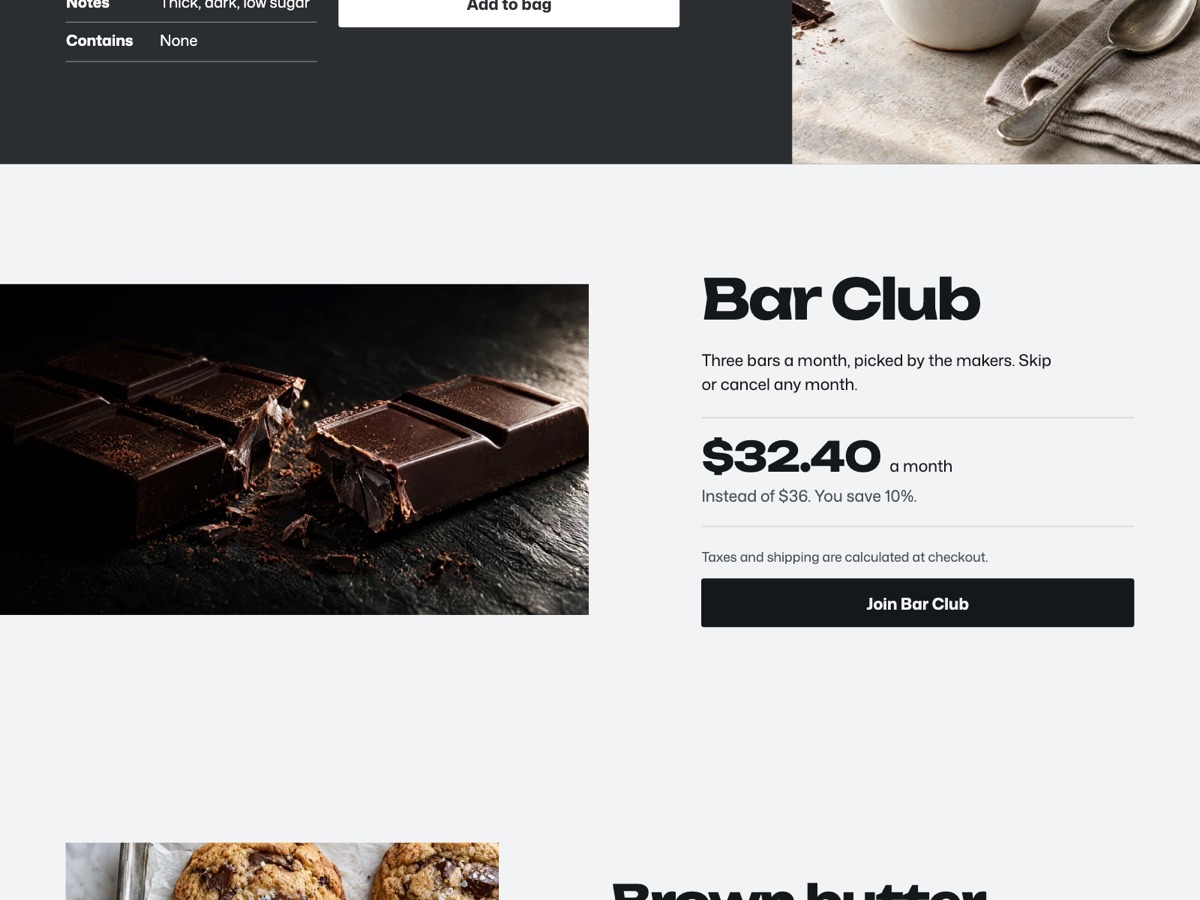
On the home page, the Subscription section features one subscription product. It shows the price of the product’s first plan with your own suffix, such as “a month”, and, when the plan costs less than buying once, a line such as “Instead of $36. You save 10%.” Its button adds the plan.
Pre-orders use the same mechanism. Platter treats a product as a pre-order when it sells only on plans and none of those plans repeat, and its button reads “Pre-order”.
Every step is in Subscriptions in Platter, and pre-orders are in Pre-orders, stock lines and the age check. For a coffee store from start to finish, see our coffee roaster guide.
Sources: Shopify Help Center on Shopify Subscriptions, its considerations and plans; Shopify developer docs on selling plans and the product object.